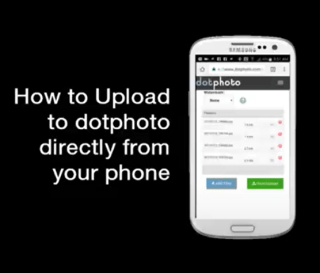
Easy! Run dotphoto.com on your phone – no app required. Tap the Upload button, and upload directly from your phone

Your boutique photo service. No ads. Great prices. Excellent support since 1999.
Easy! Run dotphoto.com on your phone – no app required. Tap the Upload button, and upload directly from your phone
dotphoto’s competitors charge as much as 40% of the order for shipping! dotphoto Club members get free shipping on every order of $10 or more.
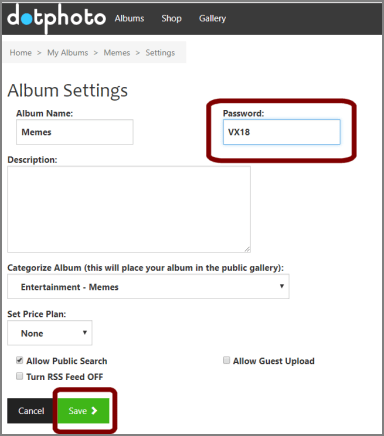
Add a guest password to your account and set your album password to a different password.
Videos can be full of spontaneous, exciting photos.
When hikers hopped the fence above this Yosemite waterfall, I took a video. “Either you guys should come back now,” I said, “or I’ll be selling this to the news.” Fortunately, they were OK. Here are photos I snapped from the video.
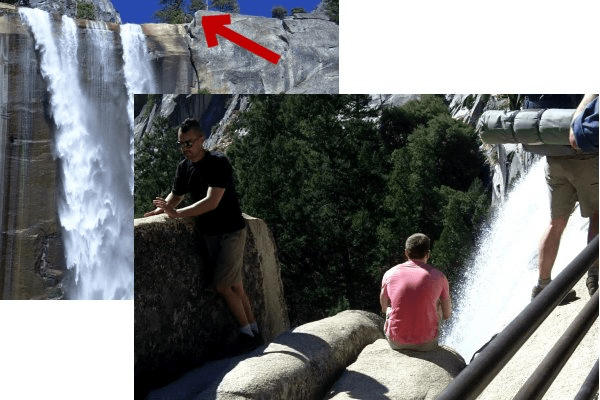
It’s easier than ever to get a good photo from your videos with free software that snaps photos from your videos.

Why is the top of a head that is right next to the border sometimes clipped? This FAQ explains how to perfectly crop a photo.

dotphoto’s video of “The Most Important Picture Ever Taken” about the Hubble Deep Field Image has been seen over 7 million times. Now the James Webb telescope has improved the resolution! Print your own 20″ x 20″ poster for only $12.49!
Collect photos from family and friends in one album with Guest Uploads

Set up any album in your account to receive guest uploads, so that you and a group of friends can make a group photo album. As the owner of the album, you will decide which uploads get edited or deleted.

You can send a dotphoto link to friends that enables them to download a full album of photos from dotphoto. It’s easier than DropBox, and, at dotphoto, you can do more with your photos!
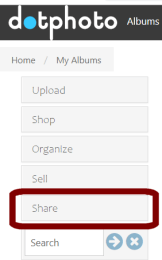
dotphoto’s Share button provides instant links to albums, slideshows or individual photos. Tap the green Copy button, and then paste the links wherever you like to share: emails, blogs, Facebook, Tweets, Reddit, discussion boards, or wherever you like to share photos.
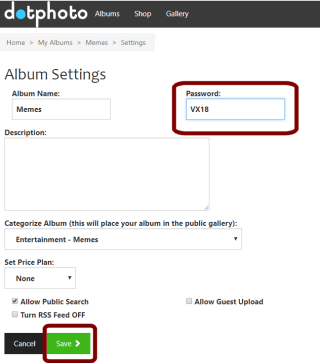
We get this question a lot. If your albums are not protected by a guest password, they are public and can be seen by anyone invited to your album or MyWebsite.
The simple solution is: (1) Add a guest password to your albums in MyAccount and (2) Apply a different password to an album or group of albums that you want to share.
To test what a guest will see, sign out of your dotphoto account, open a private browsing window, and sign in as a guest, or paste your sharing link into your browser URL
How to see what a guest sees
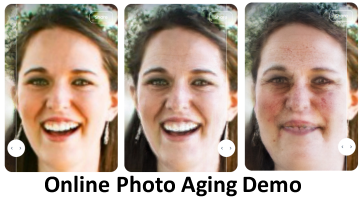
Share a photo directly from dotphoto to ChangeMyFace to see how you might age.
Lifestyle attributes will dramatically affect aging. For instance, to produce the 20-year result on the far right, we chose a junk food diet, heavy smoking, low sleep, steady drug and alcohol use, high stress, high sun exposure, and heavy pollution. She’s had a tough life, but that’s one of the uses of aging software: to help us understand the impact of our decisions. Other uses include finding missing persons and demonstrating medical and skin treatments
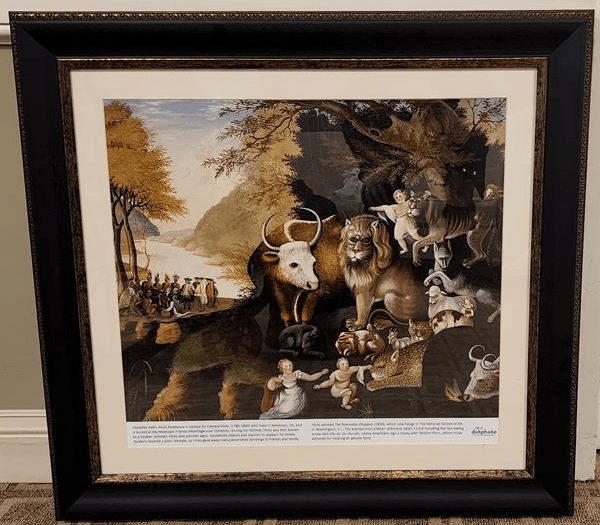
“Where did you get that beautiful frame?” A visitor had spotted the framed print waiting for delivery. “It picks up the colors in the painting.”
“It is beautiful, isn’t it?” I agreed. “The best part is that dotphoto allows you to see the finished frame even before you order it. If you’ve ever tried to frame something, they show you corners, and you hope for the best.”
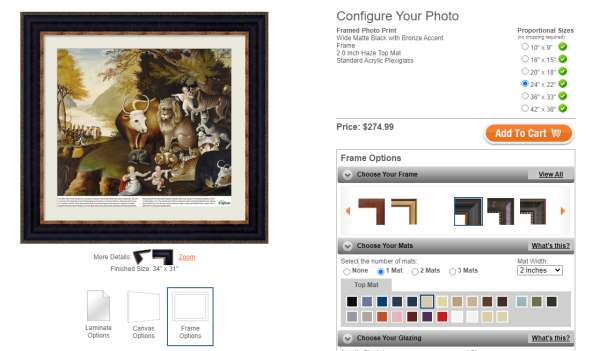
How to design your own exquisitely framed print
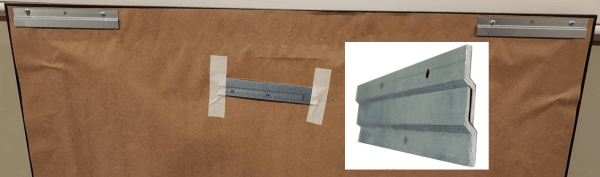
Our frames include heavy-duty interlocking hangers. Attach one set to the wall, and slide your framed print over them for a safe and sturdy installation.
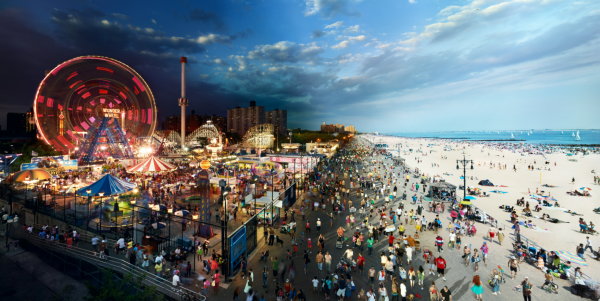
Stephen Wilkes creates “Day to Night” photographs by planting himself in one spot for 24 hours and snapping as many as 1,500 photographs of the same frame.
When he’s done, he chooses the photos that capture the greatest hits of the 24-hour period, and lays them over one another to create one grand image. The result is stunning.
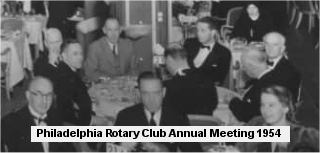
My grandparents displayed framed photos of people in black tie dinners on a guest room wall. I will never know who the people were and what they were celebrating. The significance of many photos – perhaps most – is lost to history because most photos are unmarked.
dotphoto enables you to add titles and names to the front of any photo with the dotphoto Editor. Share your family history by adding some narrative to important photos. You can keep the original photo in your dotphoto account as well as the annotated version.
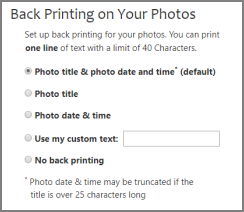
dotphoto’s small-print lab has installed new back-printing equipment that will again reliably print on the back of small photos including 4×6, 4xD, and 5×7.
The default back-print is the photo file name or caption and the photo capture date or upload date. The back-print field is 40 characters long.
You can set your default back-printing in your dotphoto account’s Printing Options.
How to Print Captions, Dates, and Custom Text on the back of your photos
 Getting more out of dotPhoto